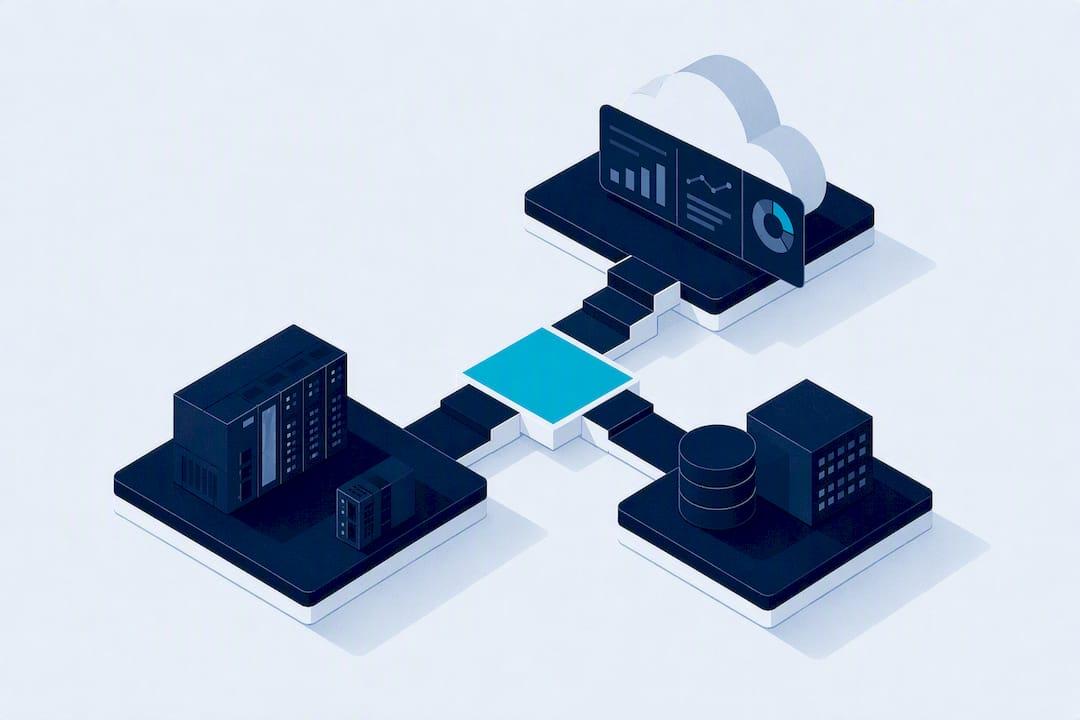
OPC UA is a communication protocol, not a SCADA system, and it is the recommended integration layer for modern SCADA architectures. It runs on any operating system, carries its own security model, and describes data instead of just streaming raw values. IEC 62541 governs the standard, the OPC Foundation maintains it, and platforms like Kingfisher already build on it to cut the modelling work of getting plant data onto a screen.
TL;DR:
- OPC UA operates on multiple transport options, including opc.tcp, HTTPS, and Pub/Sub over MQTT, affecting deployment and network configuration choices.
- Using a central aggregator or Pub/Sub layer reduces the number of client connections and simplifies scaling when integrating multiple data sources.
- Running OPC UA and DCOM based OPC DA in parallel during migration prevents disruptions and allows step-by-step transition without relying on a big-bang cutover.
- Certificate management with a Global Discovery Server and a 12-month rotation cycle minimizes outages and maintains security without manual, error-prone exchanges.
- No-code SCADA platforms like Kingfisher accelerate visualization by enabling drag-and-drop binding to live OPC UA data feeds, shortening time from commissioning to operator dashboards.
Table of Contents
- What is OPC UA integration in SCADA architecture?
- What does a SCADA system actually integrate with?
- How do OPC UA and SCADA work together in practice?
- Should you migrate from OPC DA to OPC UA now?
- How do you manage OPC UA certificates without causing outages?
- What does an OPC UA commissioning checklist look like?
- Why do OPC UA integrations fail after go-live?
- How does no-code SCADA visualisation speed up OPC UA integration?
- Author perspective: balancing risk, cost and timelines for UA adoption
- Get your OPC UA data on screen faster with Kingfisher
- Sources
- FAQ
What is OPC UA integration in SCADA architecture?
OPC UA is defined by IEC 62541, a specification family maintained by the OPC Foundation that describes a platform-independent way to model and move industrial data. Unlike its predecessor, it doesn't care whether the server or client runs on Windows, Linux, a Raspberry Pi, or an embedded RTOS. That independence is the whole point of asking how OPC UA fits into SCADA: it's the layer that lets a PLC, a historian, and a cloud dashboard all speak the same language regardless of what they're built on.
The address space is built from nodes: a NodeId uniquely identifies each one, a BrowseName makes it human-readable, and the node itself might be a variable, a method, or an object. Attach EUInformation to a variable and a client instantly knows it's reading kilopascals rather than a bare integer. That self-describing structure is what separates OPC UA from a flat list of registers.
Transport choices matter for how you deploy it:
- opc.tcp is the default binary transport, fast and efficient for plant-floor client/server traffic.
- HTTPS suits environments where firewall policy already favours web traffic.
- Pub/Sub (added in Part 14 of the specification) pushes data over MQTT, AMQP, or UDP for one-to-many distribution, ideal for feeding cloud analytics without hammering a central server.
Built-in services for current data, alarms and events, and historical access sit inside one stack, so a SCADA client doesn't need three separate drivers to get a live value, an alarm state, and a trend.
What does a SCADA system actually integrate with?
A SCADA system is the supervisory layer: it collects process data from field controllers, presents it through an HMI, manages alarms, and archives history for reporting and compliance. It doesn't control equipment directly in the way a PLC does; it supervises, displays, and logs.
Where OPC UA fits is as the data source SCADA consumes. In practice that means:
- SCADA acts as a UA client, subscribing to values published by PLCs or gateway servers.
- Subscriptions replace constant polling, so the SCADA node only receives data when it changes or on a defined interval.
- Write semantics differ from read paths. A control command needs guaranteed delivery and often a security profile stricter than a read-only trend value.
- HMI refresh expectations are tighter than historian logging. A screen might need sub-second updates while a trend database is happy with once-a-minute samples.
Those different consumption patterns inside the same SCADA platform are exactly why sampling and publishing intervals need separate tuning, something worth flagging early because it comes up again in the commissioning checklist.
How do OPC UA and SCADA work together in practice?
Three architecture patterns cover almost every real deployment, and picking the wrong one is the single biggest cause of scaling pain later.
- PLCs as UA servers, one central SCADA client. Each controller exposes its own OPC UA server; the SCADA platform connects as a single client to each. This is the simplest pattern for small to mid-sized sites and keeps vendor lock-in low, but the number of client connections grows linearly with the number of controllers.
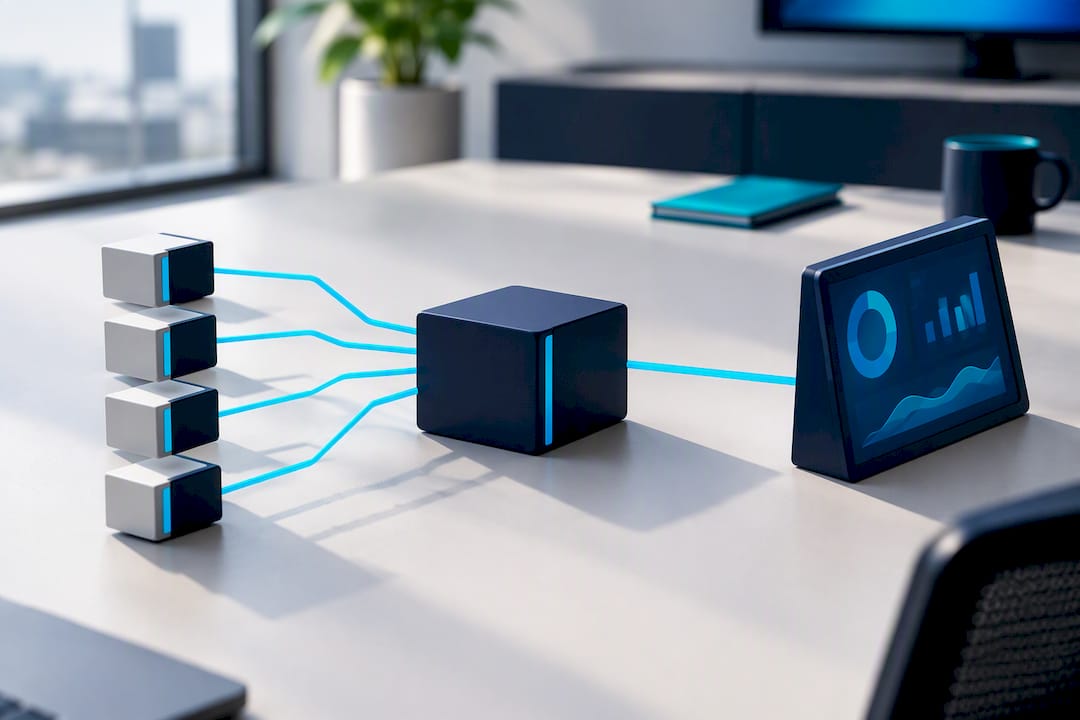
- A central aggregator or broker with one tag database. A middleware layer collects from many UA servers and republishes a unified tag set to multiple downstream consumers (SCADA, MES, a cloud connector). This adds a hop but massively simplifies life when five different systems all need the same data.
- Pub/Sub for one-to-many distribution. When the goal is feeding a historian, a cloud data lake, and a mobile dashboard from the same source, Pub/Sub over MQTT avoids opening dozens of individual client sessions. Pub/Sub suits one publisher with many subscribers, while client/server subscriptions remain simpler for straightforward one-to-one SCADA links.
Network design decisions follow directly from whichever pattern you pick. OPC UA can run on a single configurable TCP port, typically 4840, or over HTTPS, which is a real improvement over the dynamic port ranges DCOM demanded. Isolate OPC UA traffic on its own VLAN where the site has any mixed IT/OT traffic, and apply QoS tagging if Pub/Sub shares a network with video or voice.
Pro Tip: Don't default to Pattern A just because it's familiar. If you're integrating more than a handful of controllers, a central aggregator saves weeks of re-pointing client configurations every time you add a device.
Should you migrate from OPC DA to OPC UA now?
Yes, for any new project, and progressively for existing sites. OPC DA depends on Windows and DCOM, while OPC UA runs cross-platform and carries its own transport-level security instead of relying on Windows security settings tunnelled through DCOM's notoriously fragile configuration. DA also has no native information model beyond flat tags; UA gives you typed nodes, units, and relationships out of the box. On firewall friendliness, DA needs a wide, often unpredictable port range; UA needs one.
None of that means ripping out DA overnight. The pragmatic brownfield approach:
- Run both endpoints in parallel. Many servers already expose DA and UA concurrently from the same tag database, so legacy DA clients keep working while new UA consumers come online.
- Use a DA-to-UA bridge only when reconfiguration is genuinely impossible. Bridges add latency and another point of failure, so treat them as a stopgap, not a destination.
- Migrate clients during scheduled maintenance windows, one system at a time, rather than attempting a big-bang cutover across an entire site.
Before decommissioning any DA endpoint, run a tag-by-tag parallel comparison. Pull the same value from both the DA and UA path simultaneously, log timestamps and quality flags, and reconcile discrepancies before you trust the UA feed alone. Keep the DA endpoint live and a documented rollback procedure ready for at least one full production cycle after cutover, because the failure mode you're protecting against is a subtle unit mismatch or a missed EUInformation tag that only shows up under real load.
How do you manage OPC UA certificates without causing outages?
OPC UA's security model is built on X.509 v3 certificates, profiled under RFC 5280, which is precisely why certificate mismanagement is the most common cause of commissioning failures nobody warns you about. A trust relationship that works in the lab can quietly expire in production if nobody owns the rotation schedule.
- Deploy a Global Discovery Server (GDS) alongside a plant certificate authority. This automates enrollment instead of leaving engineers to manually exchange self-signed certificates, a workflow that becomes unmanageable beyond five to ten devices.
- Set a 12-month rotation policy as the default. Industry guidance recommends a 12-month rotation cycle via GDS, and rotations stretched much beyond that window measurably raise the risk of an unplanned outage when a certificate silently lapses mid-shift.
- Maintain CRLs and TrustLists centrally, so revoking a compromised device certificate propagates to every server that needs to reject it, not just the one where it was flagged.
Certificate rotation, by the numbers: a 12-month cycle is the recommended default, and manual certificate exchange starts breaking down once a site passes five to ten devices, according to Phoenix Contact's guidance on GDS-based management.
Operationally, that means securing certificate stores with least-privilege access, restricting who can add a device to the plant CA's trust chain, and setting up monitoring that flags an expiring certificate weeks in advance rather than discovering it when a client connection drops.
What does an OPC UA commissioning checklist look like?
Commissioning is where good address space design either pays off or turns into a driver-proliferation headache. Follow this sequence and you'll catch most problems before go-live rather than after.
- Inventory every endpoint and confirm UA support. Not every controller firmware version has UA enabled by default; check before you plan around it.
- Capture the address space with a generic client before writing any production configuration, so you know exactly what's available.
- Browse deterministically and handle continuation points properly. Large address spaces return results across continuation points, and a browse loop that stops early will silently miss nodes rather than throwing an obvious error.
- Filter and map the surviving tag set to a Unified Namespace structure, generally aligned to ISA-95 levels, so the mapping is auditable rather than an ad hoc list someone remembers verbally. Reducing tens of thousands of raw nodes to a coherent UNS subset requires deterministic filtering rules, not manual cherry-picking.
- Configure monitored items deliberately. Set the sampling interval at the source, the publishing interval at the subscription, and a sensible deadband so noisy analogue values don't flood the network with meaningless changes. Tune queue size to match how bursty the data actually is.
- Run a parallel comparison and validate timestamps and quality codes, not just the values themselves, before signing off.
Pro Tip: Log every continuation point sequence number during commissioning. If a browse loop ever returns a non-null continuation point that your code doesn't handle, you'll have missing tags that only surface weeks later when someone asks why a sensor "isn't in the system".
Why do OPC UA integrations fail after go-live?
Most post-commissioning failures trace back to a handful of repeat offenders.
- Partial browse failures. Continuation points must be followed until they return null; a driver that stops after the first page silently drops nodes, and nobody notices until a report comes up short.
- Firewall and port misconfiguration. Stick to a single configurable port, generally 4840, and test connectivity with a generic UA client before blaming the SCADA platform.
- Subscription misconfiguration. Symptoms include stale HMI values, delayed alarms, or a server that appears to hang. The usual culprits are a publishing interval set far too conservatively or a queue size too small to hold a burst of changes.
- Latency creeping up over time. If response times degrade as more clients connect to the same server, that's a sign you've outgrown Pattern A and need a central aggregator or a Pub/Sub layer instead of another point-to-point connection.
How does no-code SCADA visualisation speed up OPC UA integration?
Deterministic browsing and UNS mapping solve the data problem. Building the HMI on top of that data is a separate job, and it's traditionally the slower one. Kingfisher's no-code drag-and-drop platform is built to bind directly to live OPC UA subscriptions or Pub/Sub feeds without writing scripting logic for every tag.
Instead of manually wiring each mapped UNS node to a screen element, engineers drag components from a marketplace of ready-made 3D and 2D industrial assets, then bind each one to a real-time data point. District energy components and HVAC-specific assets are already modelled, so an engineer isn't rebuilding a pump or chiller from scratch for every project. That reuse is what actually shortens the gap between "the UNS is mapped" and "the operator has a working dashboard."
Author perspective: balancing risk, cost and timelines for UA adoption
Every new project should specify OPC UA from day one. For brownfield sites, run UA and DA in parallel rather than forcing a cutover date nobody's confident about, and automate certificate management before it becomes the reason a Saturday shift goes dark. Pilot first, with measurable acceptance criteria; a deterministic browse test and a proper site acceptance test matrix aren't paperwork, they're what stop a "successful" commissioning from becoming next quarter's outage ticket.
— Jeffrey Anastacia
Get your OPC UA data on screen faster with Kingfisher
Kingfisher is the alternative to scripting a SCADA HMI by hand: once your OPC UA endpoints are mapped, you drag marketplace components onto a browser-based canvas and bind them to live subscriptions or Pub/Sub feeds, no client installs and no plugin management to babysit.
That matters most right after commissioning, when the UNS is finally clean and the pressure is to get something usable in front of operators. Rather than hand-coding screens tag by tag, you're placing pre-built components from a library of over 1,000 industrial assets and wiring alarms and trends visually. Kingfisher is priced per PC across three tiers: Starter, Pro, and Enterprise, each scaled to connected data point volume; see the pricing page for details. Check the full pricing breakdown or browse the industry solutions overview to see which tier fits your next OPC UA rollout, then request a demo to see your own tag set bound to a live 3D view.
Sources
- OPC DA vs OPC UA: Differences and Migration Guide
- Introduction to OPC Unified Architecture – OPC UA for Control & Communication System Profile
FAQ
What is OPC UA in SCADA?
OPC UA is the communication protocol a SCADA platform uses as a client to read, subscribe to, and occasionally write data on field devices and controllers. It's not the SCADA system itself; it's the standardised transport and information model, governed by IEC 62541, that carries data between the field and the supervisory layer.
What is SCADA system integration?
SCADA system integration is the process of connecting a supervisory control and data acquisition platform to field controllers, historians, and other software so it can display live data, manage alarms, and log history. It typically involves selecting a communication protocol, most commonly OPC UA in new deployments, and configuring the client connections, tag mapping, and security between the SCADA server and every data source.
What does OPC stand for in SCADA?
OPC originally stood for Open Platform Communications, though it was coined as Object Linking and Embedding for Process Control. In a SCADA context it now refers to a family of standards, with OPC UA being the current cross-platform version maintained by the OPC Foundation.
How do you integrate SCADA with a PLC?
You integrate SCADA with a PLC by configuring the PLC (or a gateway in front of it) as an OPC UA server, then setting up the SCADA platform as a UA client that browses the PLC's address space and subscribes to the tags it needs. Sampling and publishing intervals get tuned separately to balance responsiveness against network load, and a deterministic browse with proper continuation point handling ensures every available tag actually gets discovered.
Does Kingfisher support OPC UA integration for SCADA?
Yes. Kingfisher's no-code platform binds directly to real-time OPC UA data, letting engineers connect subscriptions or Pub/Sub feeds to drag-and-drop 3D and 2D components without writing integration scripts. Current pricing for the Starter, Pro, and Enterprise tiers is listed on the pricing page.