
Integrate SNMP into SCADA through a native driver where one exists, or through an OPC/SNMP gateway or SNMP-to-Modbus translator where it doesn't. Run SNMPv3 with authPriv on anything touching a production network, keep v2c strictly to isolated management VLANs, and bind your trap receiver to UDP/162 before you tune poll rates against signal type. Get those four decisions right and the rest of the integration is mostly plumbing.
TL;DR:
- Using SNMPv3 with authPriv and dedicated management VLANs greatly enhances security compared to default SNMPv2c community strings.
- Native drivers can be inconsistent with ASN.1 data types, so testing edge cases early improves integration reliability.
- For large tables, GetBulk requests reduce overhead and prevent overload on devices with many ports or UPS cells.
- Document every OID-to-tag mapping and verify device data types with snmpwalk to prevent faults before deployment.
- No-code platforms like Kingfisher enable rapid creation of operator-friendly dashboards using SNMP data mapped to 3D visual components.
Table of Contents
- What SNMP monitoring brings to a SCADA system
- Integration patterns for bringing SNMP data into SCADA
- Locking down SNMP before it goes into production
- A commissioning checklist for MIBs, OIDs, and trap binding
- Why SNMP integrations fail and how to fix them fast
- Speeding up SNMP visualisation with a no-code SCADA platform
- Practitioner perspective on choosing SNMP for a SCADA project
- Turn SNMP data into a live visual site in less time
- Sources
- FAQ
What SNMP monitoring brings to a SCADA system
SNMP was built for network management, not process control, and that shapes exactly what it's good for inside a SCADA environment. It excels at exposing the health of infrastructure that sits alongside your process, not the process itself.
Typical SNMP-managed equipment on a plant floor includes:
- UPS units (battery percentage, load, runtime remaining)
- Power distribution units (per-phase current and voltage)
- Managed network switches (port status, link speed, error counters)
- HVAC and building controllers with SNMP agents
- Server and rack BMCs (temperature, fan speed, power draw)
The protocol splits into two behaviours integrators need to treat differently. Traps are asynchronous, the device pushes a message the instant something changes, which suits alarms like a UPS switching to battery or a switch port dropping link. Polling is you asking the device for a value on a schedule, which suits status and counters, such as reading battery percentage every few seconds or a switch's error counter once a minute. Mixing the two badly is one of the most common design mistakes: trying to poll for events that traps handle better wastes bandwidth, and relying on traps for values that need constant refreshing, like a live current reading, leaves your SCADA display stale.
Integration patterns for bringing SNMP data into SCADA
Three architectural options cover almost every real-world project.
- Native SNMP driver. If your SCADA platform ships one, this is the simplest path. You point it at the device, load the relevant MIB, and tags appear. The catch is that native drivers can be inconsistent handling ASN.1 data types like OctetStrings, enumerated values, or 64-bit counters, so test edge cases early rather than assuming the driver behaves like a standard Modbus register read.
- OPC/SNMP gateway. This is the field-proven route for HMI and SCADA clients that lack a native SNMP stack or an ASN.1 parser at all, which describes a lot of legacy platforms still running in the field today. The gateway compiles vendor MIBs, resolves OIDs into a browseable tree, and re-exposes them as OPC DA/UA items or Modbus registers your SCADA host already understands.
- SNMP-to-Modbus translation. Useful when the SCADA host only speaks Modbus and adding an OPC layer feels like overkill. A UPS battery OID might map to Modbus holding register 40001 as a scaled integer, with the gateway handling the conversion and scan-rate throttling in between.
For anything involving SNMP tables (multiple switch ports, multiple UPS cells), use GetBulk rather than issuing one GetRequest per row. It cuts request overhead dramatically on devices with large tables and reduces the load on embedded agents that weren't built for chatty polling.
Pro Tip: Keep trap handling and polling on separate logical paths in your gateway configuration. If one floods, the other keeps reporting, and you'll diagnose the fault faster.
Locking down SNMP before it goes into production
Security is where SNMP deployments most often go wrong, largely because the protocol's default posture is permissive and plenty of legacy gear still ships with default community strings intact.
The baseline for any production host connecting SNMP into a SCADA environment: run SNMPv3 with authPriv, combining SHA authentication with AES encryption. SNMPv2c is workable only on isolated management VLANs with no route to the wider network, and SNMPv1 shouldn't appear anywhere in a new design.
Beyond the version choice, a few controls matter just as much:
- Segment SNMP traffic onto dedicated management VLANs with ACLs restricting source IPs
- Rotate community strings and v3 credentials on a schedule, never leave vendor defaults in place
- Filter trap sources so only known device IPs can send to your trap receiver
- Log SNMP traffic and set alert thresholds to catch scanning or trap flooding early
CISA has flagged SNMP abuse as a recurring pattern in industrial network compromises precisely because so many deployments never move past v2c with a default community string. That single misstep is often the entire attack surface.
A commissioning checklist for MIBs, OIDs, and trap binding
Work through these steps in order and you'll catch most integration faults before they reach a live panel.
- Compile the vendor MIB first, then dependent IANA modules. MIB files are schemas, not data, and unresolved imports are the single most common reason an OID never appears in the gateway's browse tree.
- Verify every OID with snmpwalk against the live device before wiring it into SCADA. Confirm the returned data type matches what you expect.
- Set poll rates by signal class. Link and status signals suit roughly 5-second polling; counters and slow-moving values are fine at 30 to 60 seconds. Never poll faster than one second; it strains embedded agents and inflates your historian for no benefit.
- Bind the trap receiver to UDP/162 before testing anything else. On Windows, this is a privileged port, so reserve it with
netshor run the trap service with elevated permissions, otherwise it fails silently. - Map string and enumerated values to numeric SCADA tags using an encoder or formula channel at the gateway, preserving alarm logic without forcing your SCADA database to store raw text.
- Force a device event and confirm the trap arrives, then check the same value via polling in your gateway's OPC client to confirm both paths agree.
Pro Tip: Document every OID-to-tag mapping in a shared spreadsheet as you go. Six months later, nobody remembers that "ifOperStatus.24" is the loading dock's switch port.
Why SNMP integrations fail and how to fix them fast
Most SNMP-in-SCADA problems fall into four repeatable categories, and each has a fast diagnosis.
- Trap receiver won't bind. Almost always a Windows permission issue on UDP/162; reserve the port with
netshor elevate the service account. - Device CPU spikes or packets drop under load. Your poll budget is too aggressive. Drop per-tag rates, group related OIDs, or switch to GetBulk requests.
- SNMPv3 authentication keeps failing. Check the USM engine ID matches between agent and manager, and confirm both sides support the same auth/priv algorithm pairing.
- OIDs missing from the browse tree. Check for unresolved MIB imports or a compile order that loaded dependent modules before the base MIB.
Speeding up SNMP visualisation with a no-code SCADA platform
Once SNMP data is flowing through a gateway as browseable OPC or Modbus tags, the remaining work is turning those tags into something an operator actually looks at. This is where a no-code approach saves real time, because dragging a tag onto a pre-built 3D component takes minutes rather than a scripting session.
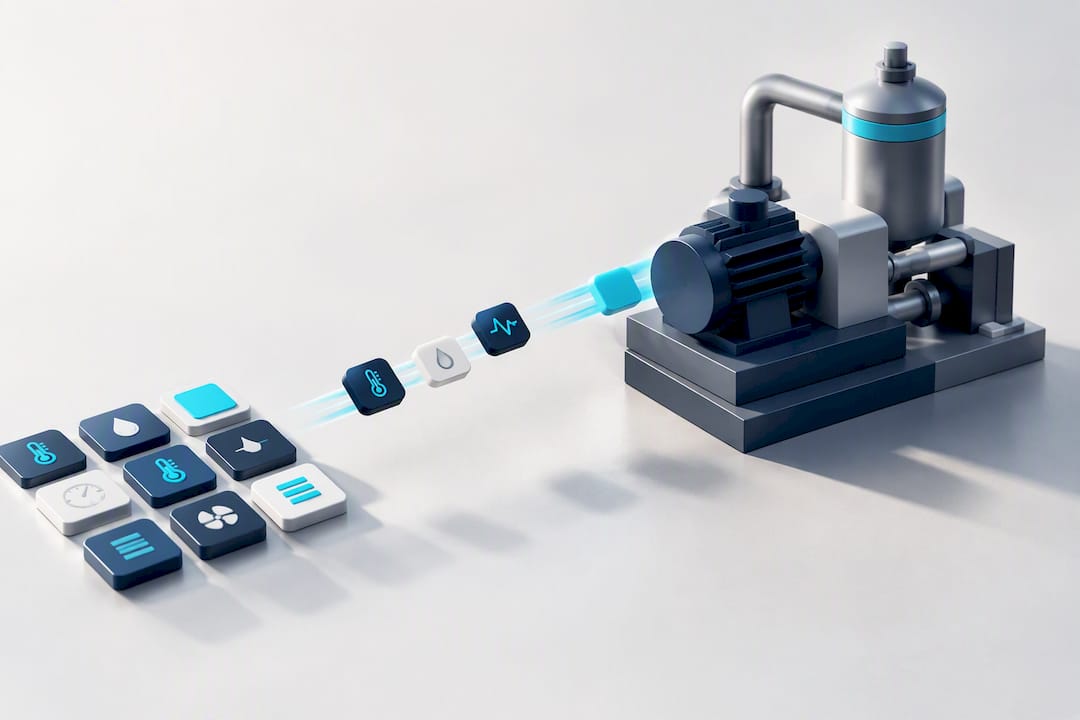
Kingfisher's drag-and-drop tag binding and its marketplace of over 1,000 ready-made industrial components mean SNMP-derived signals, like UPS battery state, switch port status, or a mapped trap-to-alarm event, land on a live visual almost as fast as the gateway exposes the tag.
Practical uses this suits well:
- UPS and PDU dashboards showing battery health and phase loading in 3D context
- Managed switch port visualisation across a facility's network room
- Trap-to-alarm mapping displayed against the physical asset it belongs to
Integrators building out a full solution can browse the thermal component library for assets that suit HVAC or utility monitoring pulled in via SNMP gateways.
Practitioner perspective on choosing SNMP for a SCADA project
SNMP earns its place watching IT and infrastructure, not running control loops. Keep it there and it's reliable; stretch it into safety or timing-critical control and you'll fight the protocol the whole way. Pick a gateway that keeps tag names readable rather than a wall of raw OIDs, document every mapping as you build it, and decide who owns credential rotation before handover, not after the first incident. SCADA systems typically separate supervisory monitoring from control, and SNMP belongs firmly on the monitoring side of that line.
— Jeffrey Anastacia
Turn SNMP data into a live visual site in less time
Gateways get the SNMP data flowing. What often eats the real project hours is turning dozens of mapped tags into a dashboard an operator will trust at 2am. Kingfisher's no-code, browser-based builder skips the scripting and plugin installs that traditional 2D SCADA demands, letting you drag SNMP-sourced tags straight onto 3D components from a marketplace of more than 1,000 ready-made assets.

For a facility relying on UPS, PDU, or switch health data, that means the gateway's tags become a walkable 3D view of the electrical room without a scripting session in between. Licensing runs per PC across three tiers: Starter at $4,250, Pro at $8,500, and Enterprise at $16,900, each a one-off cost rather than a recurring fee. If your next project involves SNMP-heavy infrastructure like a data hall or a smart factory rollout, request a demo and see how quickly your gateway's OID tree turns into something an operator can actually navigate.
Sources
- Integrating SNMP MIB data into SCADA via OPC / Cal Poly technical paper
- CISA: Reducing the risk of SNMP abuse
- Integrating UPS SNMP MIB data into RSView32 via OPC Gateway — Industrial Monitor Direct
FAQ
What is the purpose of SNMP?
SNMP (Simple Network Management Protocol) exists to monitor and manage network-attached devices, letting a management station poll status values or receive alerts when something changes. In a SCADA context, it typically covers infrastructure like UPS units, switches, and PDUs rather than core process control.
What does SCADA mean in networking terms?
SCADA (Supervisory Control and Data Acquisition) refers to the software and hardware layer that lets operators monitor and control industrial processes, sitting above field controllers like PLCs and RTUs. It's a control system, not a network protocol, which is why SNMP data usually reaches it through a gateway rather than natively.
Is SNMP still used today?
Yes, SNMP remains widely deployed for monitoring network infrastructure, and it's the standard choice for exposing UPS, switch, and PDU health into a SCADA supervisory layer. Its continued relevance is exactly why CISA still issues guidance on securing it properly with SNMPv3.
What communication protocol does SCADA use?
SCADA systems use a mix of protocols depending on the layer: Modbus, DNP3, and OPC UA are common for field devices and controllers, while SNMP is typically layered in through a gateway to cover IT-style infrastructure. A no-code platform like Kingfisher is built to accept several of these protocols side by side.
What's the difference between an SNMP trap and a poll?
A trap is a message the device sends immediately when an event occurs, such as a UPS switching to battery power, making it ideal for alarms. Polling is the management station actively requesting a value on a schedule, which suits status and counter data that needs regular refreshing rather than event-driven updates.